Paper in. Clean PDF out.
Scan receipts, forms, letters and ID cards with your phone. On-device AI finds the edges, reads the text and names your scans. Crop, sign and share as PDF — no sign-up needed to scan.
Coming soon. Links will appear here when the app is published.
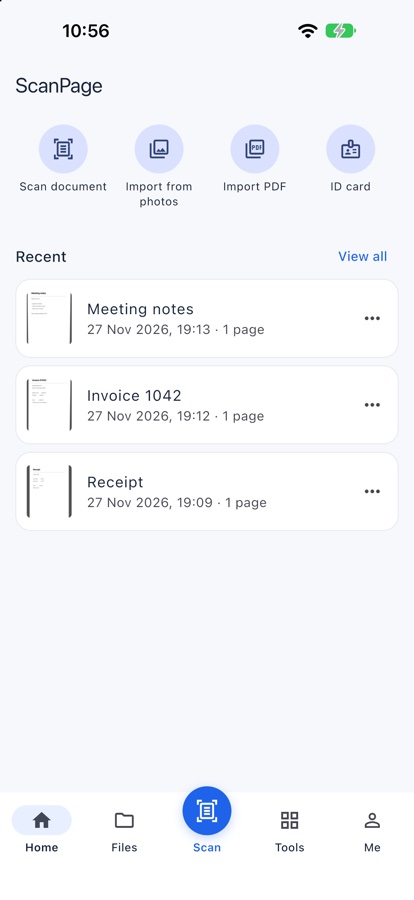
Three steps
1. Scan
Point the camera at the paper. Edges are found and the page is straightened for you.
2. Tidy
Crop, choose a filter, sign or add text. Text is read so you can search it later.
3. Share
Send a PDF, JPG pages or one long image — sized to fit upload limits if you need.
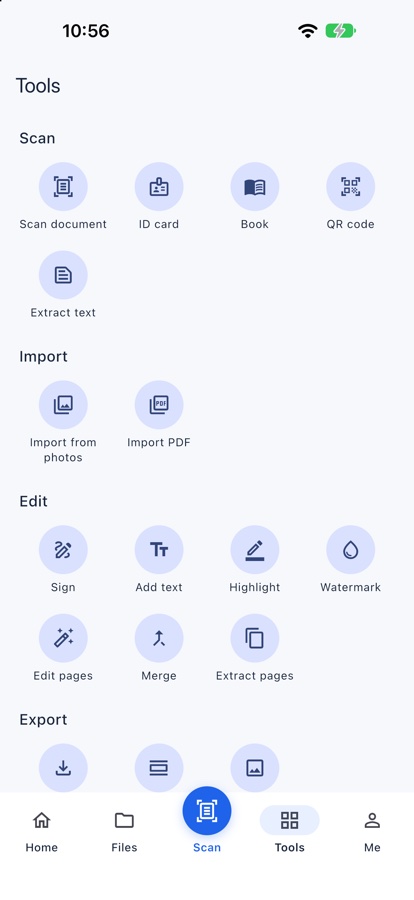
Everything for everyday paperwork
Made for the papers people really carry: bills, school notices, contracts and IDs.
Scan in seconds
Automatic edges and cropping, many pages at once, ID card front and back on one page, and book mode for two facing pages.
Tidy and mark up
Crop, rotate, reorder, filters for clear black & white. Add your signature, typed text, highlights or a watermark.
Find the words
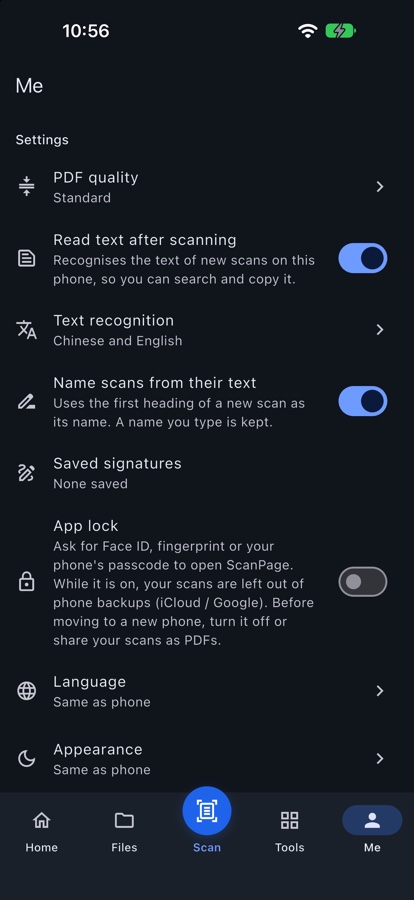
Text recognition in English, Chinese, Japanese and Korean on your phone. Search all your scans by what they say, copy or correct the text.
Share the right file
PDF, JPG pages or one long image. Choose quality, or squeeze a PDF under 1, 2, 5 or 10 MB for upload forms.
Stay organised
Folders, sorting, list or grid. New scans can name themselves from their first heading.
Keep it to yourself
App lock with Face ID, fingerprint or your phone's passcode. Dark mode and 14 languages.
AI that helps, on your terms
Smart features run on your phone. An optional AI assistant helps when you ask it to.
On your phone · available now
Smart edge detection
Finds the paper, crops and straightens it for you.
Text recognition
Reads English, Chinese, Japanese and Korean so you can search, copy and correct it.
Auto naming
Names each new scan from its first heading.
AI assistant · optional, asks first
Ask your document
Ask a question about a scan and get an answer from its text.
Translate and summarise
Turn a long letter into a short summary, or into another language.
The AI assistant is off until you agree, and needs a free account. It sends only the text of the scan you choose (never the images) to CoreWord's server. 3 free questions a day (30 in total), then buy the AI pack for more. AI can make mistakes — check important details against the original.
See it on your phone
Built for real life
Your scans stay on your phone unless you choose
Plain facts about how ScanPage works. The full details are in the privacy policy.